Second
Backup - Free File Backup Software
|
Want to backup your important files? --- Use
this free software, Just 3 steps.
|
|
Download
From Softonic:
Download Free
Version |
|
Download New Version From Local:
File
Backup Guy/ Second Backup |
|
For example, to backup your "My Documents"
folder to E:\ drive. |
|
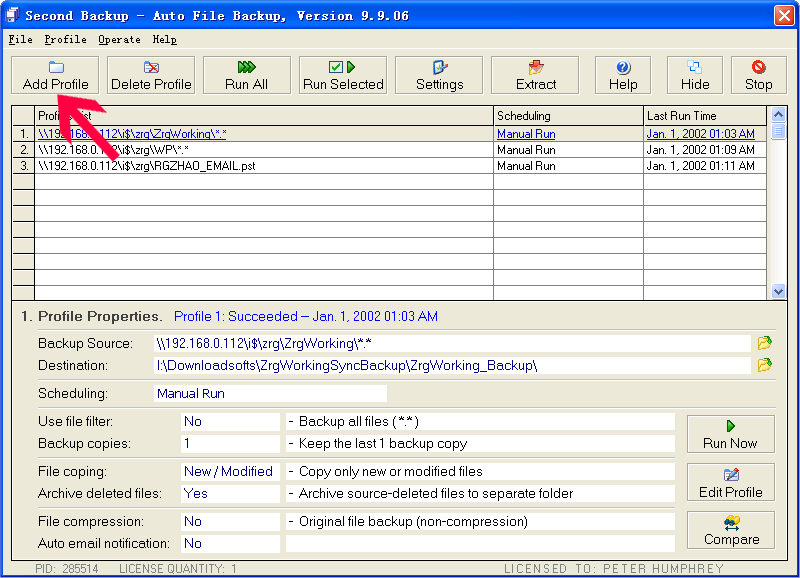
Step 1: Click the "Add Profile" button. |
|
|
 |
|
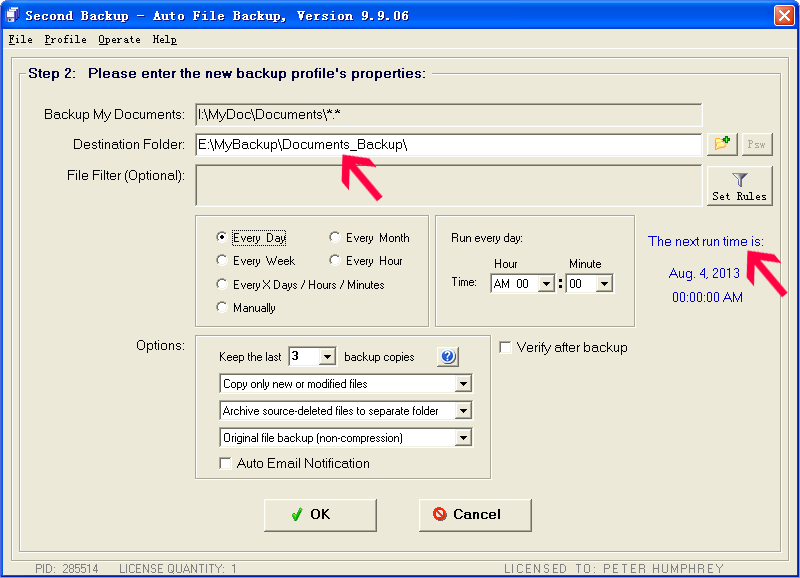
Step 2:
Choose the backup source and destination folder.
Click OK to save the setting. |
 |
|
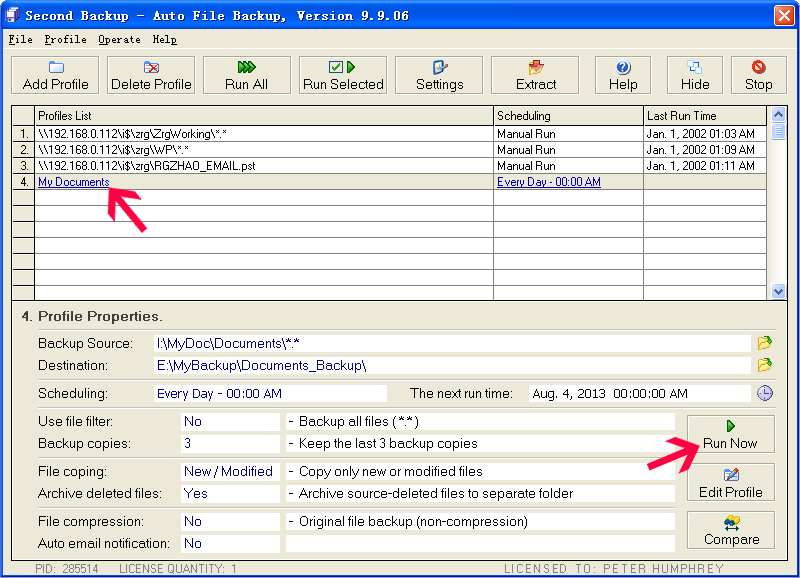
Step 3:
The profile for backup "My Documents" has listed, click
the "Run Now" button to run backup job. |
 |
|
When you
click one profile in the list, the profile's
properties will be displayed. |
|
New:
Use
QR Code or Barcode Tag to Manage Your Printed
Files
And Backup Storage Media |
|
Advanced Features.
1. Keep
multiple backup copies.
|
|
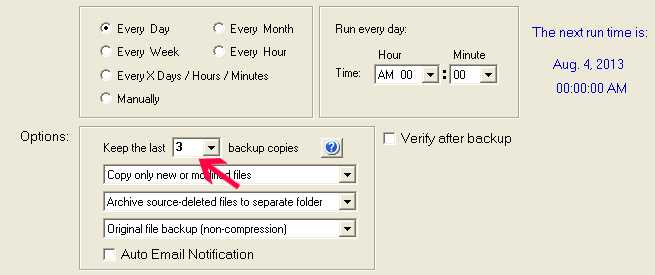
This program
can keep multiple backup copies, it keep all files in
each of its backup copies sup-folder,
for example,
by default, it keep the last 3 backup copies, so at the
first 3 times backup task, the program copy all files
from the source folder to the 3
sub-folders("Backup_1","Backup_2","Backup_3") of the
destination, "Backup_3" store the latest backup files,
"Backup_2" store the previous backup files, "Backup_1"
store the first backup files, each
sub-folders("Backup_1","Backup_2","Backup_3") has a full
backed up files.
At the 4th
and the later backup tasks, the program would only copy
the new and modified files to "Backup_3", and it only
take a little time. |
 |
|
2.
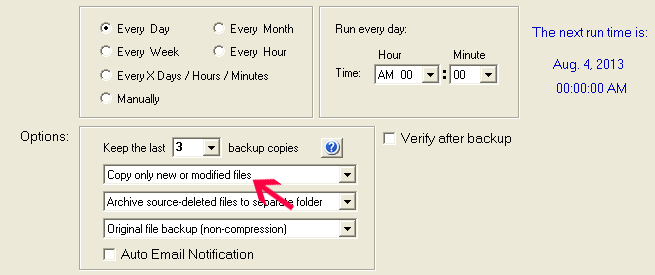
Copy only new or modified files on backup --
save the backup time. |
 |
|
3.
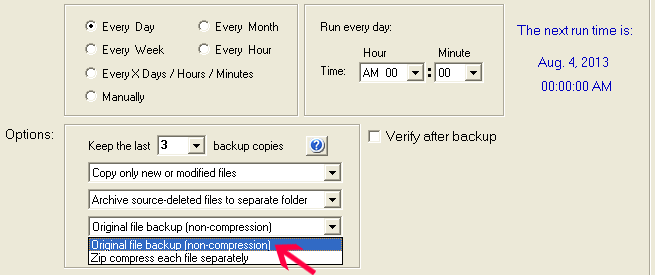
You can choose to backup the original file, or
compress each files to zip format. |
 |
|
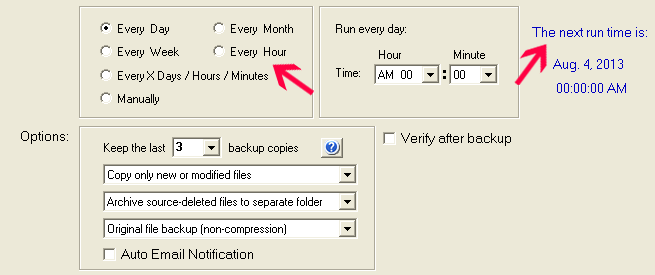
4. Automatic run the backup jobs on the schedule
time (this is the Professional edition feature). |
 |
|
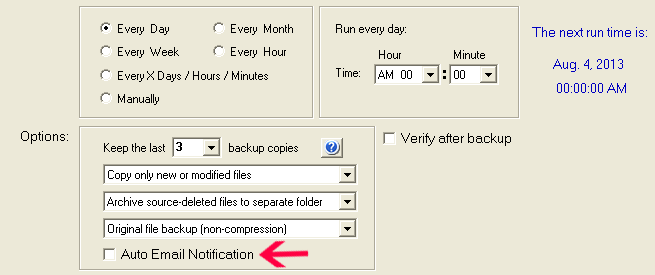
5. Automatic send email to you when the backup
job completed. |
 |
|
Download - Free Edition
This software is published on Softonic,
you can get reviews and safe download from Softonic:
https://second-backup.en.softonic.com
|
|
Other Features:
Folder
Comparison and Synchronization
File Encryptor
& Text Encryptor
New:
Use
Barcode to Manage Your Printed Files |
|
The best way of backup your important files
|
|
|
|
|
For all computer users, regular backup data is
necessary. Lots of backup solutions use magnetic
tape as the storage media, it is a mature
solution, but the tape devices are expensive,
and the accompanying backup software is complex.
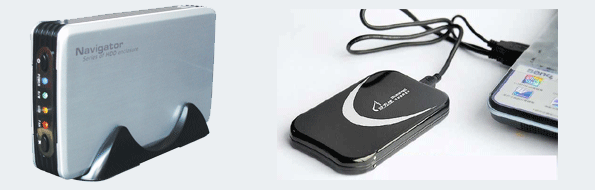
A competitive solution is use external hard disk
as the storage media. Now the capacity ratio of
hard disk has been rapidly improved, the price
is cheap, another advantages are low access
times, availability and ease of use, the hard
disk base backup software usually is simple, it
especially suitable for personal user and small
business.
This software is published on Softonic,
you can get reviews and safe download from Softonic, Click this
link:
If
you are a personal computer user, I suggest you
use a USB external hard disk to backup data, you
can easily plug in the USB hard disk when you
need to backup, then plug it out after backup
and keep it in a safe place.
It is a hard work to do data backup by manually
copying files from dist to disk every day, an
automatic backup software can emancipate us from
the hard work. Today there are many choices of
backup software, how to choose the most suitable
one for you? If you no idea, I suggest you try
some free backup software first, for lots of
people don’t know their real needs until they
buy and used a software, try some free edition
first can help you to know your requirement with
no cost.
Our automatic backup software - Second Backup,
is suitable to do external hard disk backup, it
is ease to use, no need to train, all skill
levels user can use it. Second Backup not
compressed the source files to a single file,
the backed up files are readable, and it has a
comparison function lets you easy to check if
the backup is succeed. Second Backup can stores
multi-version backup files, so you can find back
the previous version files if need.. |
|
|
|
|
|
New:
Use
QR Code or Barcode Tag to Manage Your Printed
Files
And Backup Storage Media |
|
It's a
good idea to use a QR Code tag to manage your
printed files or storage media.
1. QR code
can store up to 4296 characters
2. The QR
code is stored redundantly, even if a part of
the label is worn out, the complete label
content still can be read normally.
3. There
is a certain security function, it needs to be
scanned by mobile phone or QR Code scanner to
get the content of the label, which can meet
the needs
of a specific occasion. |
|
To make
barcode label for your backup medias or printed
files, you can choose to use below online
barcode generator,
or use
desktop version barcode software, desk top
software is more powerful and can be offline
use. |
|
|
|
|
|
|
 |
|
|
 |
|
|